GTA 6 weather not changing? How to fix stuck weather and get rain and storms back
If it never rains in your GTA 6 game, install Rockstar's 23 November update (it fixes weather not changing for long periods), then on PS5 clear the system cache in Safe Mode. Players report storms arriving as soon as they load in.
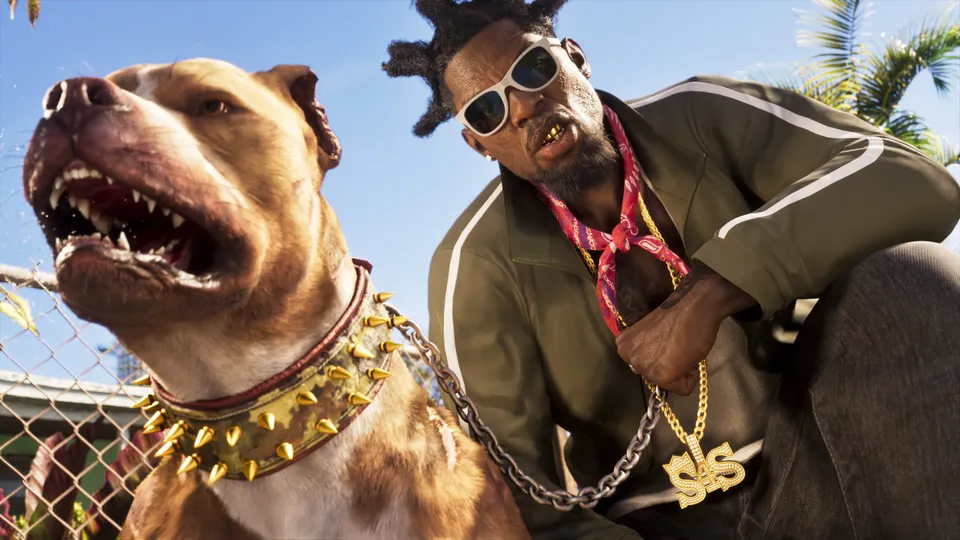 © Rockstar Games

If the sky in your GTA 6 game never changes, it’s a known bug, and there are two fixes. First, install Rockstar’s 23 November update, whose notes fix “the weather not changing for extended periods”. Second, on PS5, clear the system cache in Safe Mode. Players who had seen no rain in 50+ hours report a storm the moment they loaded back in.
At a glance
| Symptom | Same sunny weather for days of play; no rain, storms or hurricanes |
| Fix 1 | Install the latest GTA 6 update (Rockstar’s 23 Nov patch lists the weather fix) |
| Fix 2 (PS5) | Safe Mode > Clear Cache and Rebuild Database > Clear System Software Cache |
| Time | About 2 minutes |
| Risk | None to your save, as long as you don’t pick Reset |
View this post on X
Fix 1: update the game
Rockstar’s first post-launch patch (23 November) fixes “an issue that resulted in the weather not changing for extended periods”. Make sure it’s installed: on PS5 highlight GTA 6, press Options and choose Check for Update; on Xbox, open My games & apps > Manage > Updates. Patch details: first post-launch patch.
Fix 2: clear the PS5 cache in Safe Mode
- Turn the PS5 off completely (not rest mode).
- Hold the power button until you hear the second beep (about 7 seconds). The console starts in Safe Mode.
- Connect the controller with a USB cable and press the PS button.
- Choose option 6, Clear Cache and Rebuild Database, then Clear System Software Cache.
- Do not choose Reset. Clearing the cache doesn’t touch your games or saves.
- The PS5 restarts. Load GTA 6 and give the weather a little time.
Still no rain?
- Sleep in a safehouse a few times to move the clock and the weather on.
- Hurricanes are separate: they’re unlocked through a side story, not random weather. See how to unlock hurricanes.
- Night looks too dark? Players have noticed the image brightens when you crouch at night, which looks like an in-game exposure effect, not a setting. Our best settings guide covers brightness.
Common questions
Does it ever rain in GTA 6? Yes. Rain, thunderstorms and hurricanes are all in the game; the bug stopped the weather cycling for some players.
Will clearing the cache delete my save? No. Only the Reset options in Safe Mode wipe data.
Is there an Xbox fix? Install the latest update; the cache trick players are sharing is for PS5.
Proof at a glance
| What | Shown by |
|---|---|
| Weather-not-changing fix in the 23 Nov patch | Rockstar’s launch update notes |
| PS5 cache fix brings storms back | GameRoll’s clip of a storm right after clearing the cache |
| Safe Mode steps | Players’ step-by-step videos |
Something missing or wrong? Found something we haven't covered?
Your turn
Found something in Leonida?
Leonida Players is built by players. Share a tip, a better route or a secret nearby, and good finds get added to the guide with your name on them.
Just an email, a username and a password. No console ID, no real name.
Evidence checked (3)
Everything you need is on this page. These are the records we checked the facts against.
- CommunityHow to fix stuck weather in GTA 6GTA 6 Answers on YouTube
- CommunityI found a working fix for the weather bug in GTA 6GameRoll on X
- CommunityNo rain in GTA VI? The weather bug, fixedSecond Pass on YouTube
Spotted an error? Report a correction. Read our verification policy.
Watch: real GTA 6 gameplay
🔴 LIVE! - GTA 6 FREE ROAM and EASTER EGGS! (PS5 PRO)
Typical Gamer
12 GTA 6 Settings You Need to Change Right Now (PS5 & Xbox)
Doctor Glitch
GTA 6: Best Settings You NEED To Change (PS5 Guide)
HelloItsVG
Related reading
 © Rockstar Games
GTA 6 file size: how much storage you need on PS5 and Xbox (up to 212 GB)
GTA 6 needs up to 212 GB of free space. How much that leaves on each console (the 512 GB Series S is the tightest), how to free up space, and whether you can play from an external drive.
2 min read
 © Rockstar Games
GTA 6 Xbox Auto-Upload Ban: How to Change Your Settings and Avoid a Two-Day Ban
Xbox players are facing bans due to default auto-upload settings capturing mature GTA 6 content. Here is how to disable automatic captures.
3 min read
© Rockstar GamesGTA 6 CE-108255-1 Error: How to Fix PS5 and Xbox Crash Issues
Players on PS5 and Xbox Series X report game crashes and error CE-108255-1 in GTA 6. Here is what is happening and how to troubleshoot the issue.
5 min read