GTA 6 Photo Mode: How to Use It and Take Selfies
Learn how to access the GTA 6 photo mode and use the in-game smartphone camera to capture your adventures in Leonida.
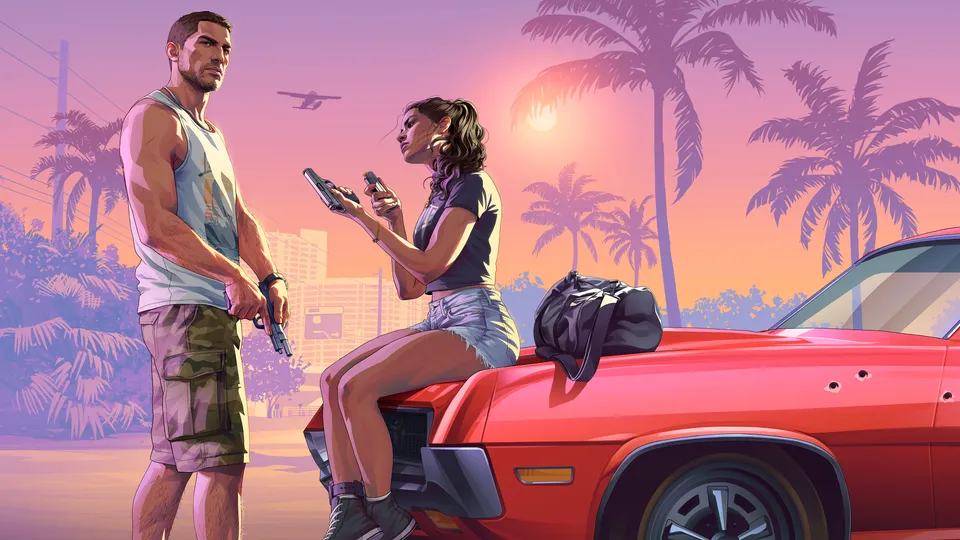 © Rockstar Games
Grand Theft Auto 6 features a fully-fledged photo mode available right from launch, allowing players to capture the chaos and stunning visuals of Leonida. According to IGN, Rockstar Games has included a comprehensive suite of tools in the game from day one. Game Rant reports that players can access the photo studio very early in the experience, right after taking control of Lucia in the prologue, by simply pausing the game. ## Accessing Photo Mode and Camera Features To open the dedicated photo mode, simply press the Start button on your controller and select it from the pause menu. Alternatively, IGN notes you can access the photo studio by pressing the square button on PS5 or the X button on Xbox. The tool includes several options to set up the perfect shot: * Focus hologram displaying what is in and out of focus * Character visibility toggle to hide or show Jason or Lucia * Highlight control for managing the brightest aspects of the scene * Custom lighting allowing you to add up to five different sources like spotlights and softboxes * Gameplay effects toggle to remove indicators like low health ## How to Take Selfies with the Smartphone Camera Apart from the pause menu photo mode, players can also use an in-game smartphone camera to snap pictures on the go. Game Rant notes that you will unlock the option to use the smartphone after progressing through Lucia’s section in the prologue and taking control of Jason. Pressing D-Pad Up on the controller brings up the phone, where you can select the camera icon. From there, you can switch to the front camera to take selfies in Leonida. ## What this means for players With such an impressively well-equipped camera suite available immediately, you can easily document your journey across Vice City and the surrounding region. Whether you are framing sunsets over Ocean Beach or setting up custom floodlights for dramatic portraits, the built-in filters, depth of field controls, and lighting options give you plenty of creative freedom as you dive into the game.
Sources
- PressHow to Use Photo Mode in GTA 6Game Rant, 18 November 2026
- PressGTA 6 Photo Mode Confirmed at LaunchIGN, 18 November 2026
Spotted an error? Report a correction. Read our verification policy.
Watch: real GTA 6 gameplay
GTA 6 - Free Roam Exploring the MASSIVE Leonida Open World in 4K Ultra HD [PS5 Pro]
DubStepZz
GTA 6 BEST SETTINGS You NEED To Use! (Grand Theft Auto 6 Best Controller, Gameplay, & UI Settings)
Hazard
30 Secrets & Easter Eggs In GTA 6!
T5G
Related reading
 © Rockstar Games
GTA 6 Workout Guide: How to Build Strength and Cardio Fast
Master the gym mechanics in GTA 6 to quickly build Jason and Lucia's Strength and Cardio stats using equipment, punching bags, and recovery tricks.
3 min read
 © Rockstar Games
Can Jason and Lucia Get Naked in GTA 6? Full Frontal Nudity Explained
Find out whether Jason and Lucia can go fully naked in GTA 6, what you actually see during showers and intimate scenes, and how NPC nudity works across Leonida.
3 min read
 © Rockstar Games
GTA 6 Auto-Drive Guide: How to Let Jason and Lucia Drive for You
Learn how to use the Auto-Drive feature in GTA 6 to let Jason and Lucia navigate Leonida automatically while you soak in the views.
3 min read