GTA 6 Auto-Drive Guide: How to Let Jason and Lucia Drive for You
Learn how to use the Auto-Drive feature in GTA 6 to let Jason and Lucia navigate Leonida automatically while you soak in the views.
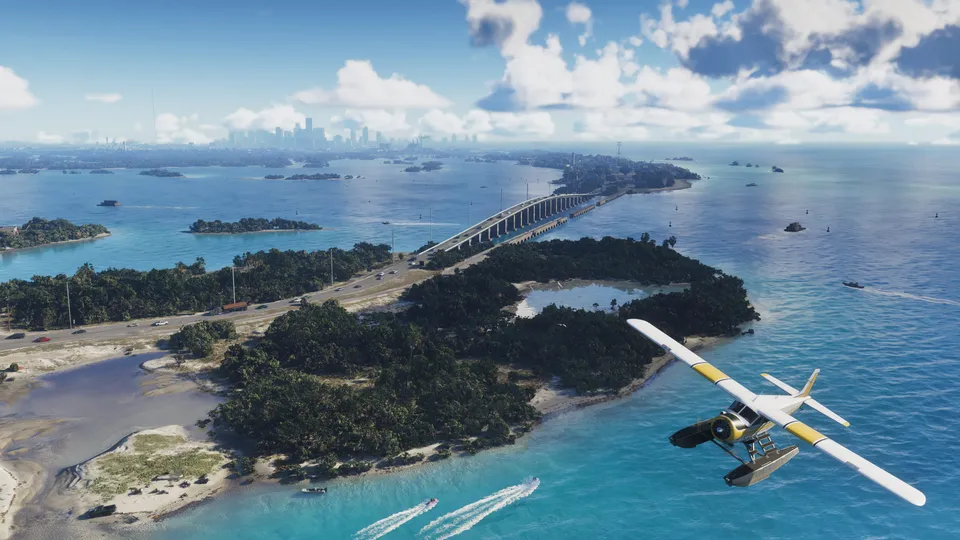 © Rockstar Games

Navigating the massive state of Leonida in Grand Theft Auto 6 requires a lot of driving, but you do not always have to stay behind the wheel. According to TheGamer, GTA 6 includes an Auto-Drive feature that lets players set a waypoint and let either Jason or Lucia handle the journey. Borrowing a concept from Rockstar’s Red Dead Redemption 2, this system makes crossing the sprawling map much easier when you want to take a break from active driving.
How to Enable Auto-Drive in GTA 6
Activating Auto-Drive takes a few specific inputs while you are inside any vehicle. If you want to use the feature to traverse Leonida without touching the sticks, follow these steps:
- Get into any vehicle and open your map to set a waypoint to your desired destination.
- Hold down on the D-Pad on your controller.
- Press the Options button on PlayStation 5 or the Menu button on Xbox to enter cinematic driving mode.
- Hold down the Circle button on PS5 or the B button on Xbox to fully enable Auto-Drive.
Once activated, your character will take over navigation and drive the vehicle straight to your waypoint.
Cruising Speeds and Traffic Rules
While Auto-Drive is a fantastic way to relax, it comes with a few limitations regarding speed and road etiquette. TheGamer reports that character auto-driving will cause your vehicle to rigidly follow the rules of the road. Furthermore, even if you select the fastest cruising speed option, the vehicle will not move very fast at all. This means Auto-Drive is definitely not a speedy way to get from one mission to the next if you are in a rush.
Clearing the Map and Fog of War
Despite the slow pace, Auto-Drive serves a very specific and useful purpose for exploration. Using Auto-Drive fully counts toward clearing the map and removing the fog of war across Leonida. You can set a very long waypoint across the region, sit back, and watch the sights without worrying about steering or crashing into local traffic. For more starting tips, check out our guide on GTA 6 first hours tips.
Additional Control and HUD Customization
If you are adjusting to the new mechanics in Leonida, you might also want to customize your layout. According to GamesRadar+, Rockstar has introduced a new default control scheme where running is assigned to L3/LS and jumping is mapped to X/A. If you prefer older layouts, you can navigate to Settings to switch to a Classic control scheme. Additionally, the standard Dynamic HUD hides non-essential elements like your minimap and health bars until you press down on the D-Pad, helping showcase the scale of the world. For more hidden mechanics, take a look at our guide on GTA 6 tips game doesnt tell you.
What we know and what we don’t
| Claim | Status |
|---|---|
| Auto-Drive lets characters drive to waypoints | Confirmed |
| Auto-Drive counts toward clearing map fog | Confirmed |
| Characters obey traffic rules during Auto-Drive | Confirmed |
| First-person mode is available in GTA 6 proper | Reported (Not in game) |
What this means for players
Auto-Drive gives players a convenient way to experience the scenery of Leonida without getting burned out by constant manual driving. While it will not help you escape the police in a high-speed chase or arrive at a timed objective quickly, it turns long-distance travel into a cinematic experience. Take advantage of it early on to map out the region and discover hidden areas across the state without breaking a sweat.
Sources
- PressHow to enable classic controls in GTA 6GamesRadar+, 18 November 2026
- PressHow To Enable Auto-Drive In GTA 6TheGamer, 19 November 2026
Spotted an error? Report a correction. Read our verification policy.
Watch: real GTA 6 gameplay
GTA 6 Walkthrough Gameplay Part 3 - LUCIA CAMINOS (GRAND THEFT AUTO 6)
theRadBrad
GTA 6 - Free Roam Exploring the MASSIVE Leonida Open World in 4K Ultra HD [PS5 Pro]
DubStepZz
GTA 6 BEST SETTINGS You NEED To Use! (Grand Theft Auto 6 Best Controller, Gameplay, & UI Settings)
Hazard
Related reading
 © Rockstar Games
GTA 6 Workout Guide: How to Build Strength and Cardio Fast
Master the gym mechanics in GTA 6 to quickly build Jason and Lucia's Strength and Cardio stats using equipment, punching bags, and recovery tricks.
3 min read
 © Rockstar Games
Can Jason and Lucia Get Naked in GTA 6? Full Frontal Nudity Explained
Find out whether Jason and Lucia can go fully naked in GTA 6, what you actually see during showers and intimate scenes, and how NPC nudity works across Leonida.
3 min read
 © Rockstar Games
GTA 6 Money Guide: How to Farm Cash Fast in Leonida
Master the best ways to make money in GTA 6, from ripping off rival criminal crews and selling cars to Moses to high-yield robberies.
3 min read