GTA 6 Car Guide: How to Use Blinkers, Hazard Lights and Refuel
Master the finer points of driving in Leonida with our complete guide to operating car blinkers, hazard lights, fuel systems, and refueling stations.
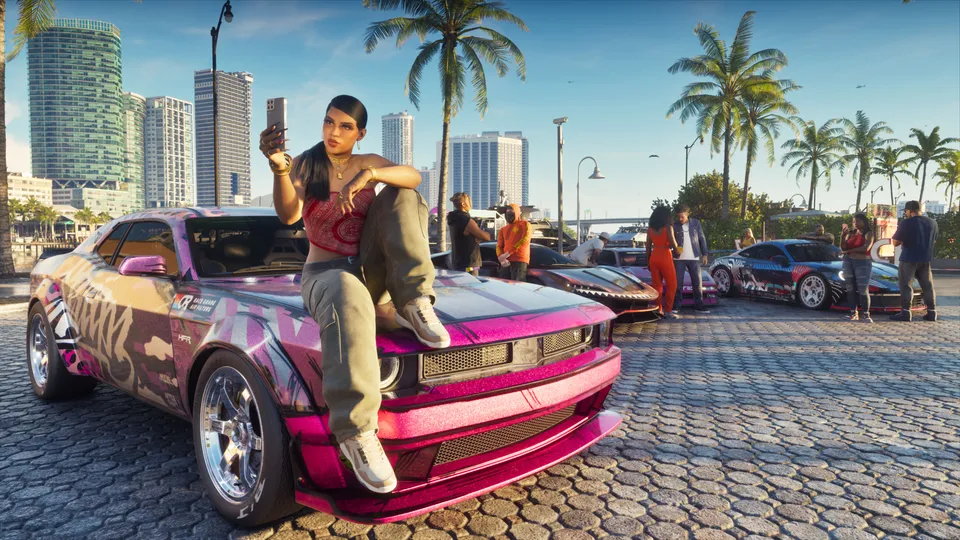 © Rockstar Games

Driving across Leonida requires more than just knowing how to dodge the local police and weave through traffic. Rockstar Games has introduced a layer of mechanical depth to vehicles that rewards careful driving, from weighted car handling to completely optional touches like manual turn signals. Whether you want to cruise through Vice City like a law-abiding citizen or just need to know how to keep your ride fueled up and running smoothly, mastering these finer controls will change how you experience the open road.
How to Use Car Blinkers and Turn Signals
According to Game Rant, GTA 6 gives players full manual control over their vehicle’s blinkers to allow for a more immersive driving experience. Using them is straightforward once you get the timing down.
- To turn on the left blinker, press the left button on the D-pad once.
- To turn on the right blinker, press the right button on the D-pad once.
Crucially, your button press needs to be short and quick. If you hold the D-pad button down too long, you will trigger alternative functions instead, such as changing your active radio station. Once you make your turn toward the side indicated by the active blinker, the game will automatically switch the signal off just like a real-world vehicle. If you change your mind or need to turn it off manually, just press the left or right D-pad button once again.
How to Turn on Hazard Lights
If you find yourself broken down on the highway or parked up in a dangerous spot, you can also activate your hazard blinkers to warn other drivers. This takes a few more steps than a standard turn signal:
- Hold down the left button on the D-pad until the radio station menu opens up.
- Flick the right analog stick up to bring up the car’s secondary options.
- Use R1 or RB to navigate to the Hazards option.
- Press X or A to activate it.
Keep in mind that when you press the button, the icon for hazards in the menu may not visibly change right away. However, Game Rant reports that if you close the menu and return to regular gameplay, you will see that both blinkers are successfully flashing, which appears to be a minor game bug.
Checking Your Fuel and Finding Gas Stations
Vehicles in Leonida are no longer immune to running out of juice. GamesRadar+ reports that you can check your current fuel level at any time by pressing Down on the D-pad to bring up the dynamic HUD. Look between the name of your vehicle and your minimap to spot a small gas pump icon encased in a circle, which acts as your fuel gauge.
If your tank is running low, you will need to track down a nearby stop. You can locate discovered stations by opening up the GTA 6 index, navigating to the Vehicles tab, and scrolling down to ‘Gas Stations’ before clicking Right on the D-pad. This lists every station you have uncovered, sorted by proximity to your current location. If you happen to be driving an electric vehicle instead, you can find Electric Vehicle Chargers by following the exact same steps in the Index under the alternative charger option.
Refueling and Repairing Your Ride
Once you pull your vehicle into a compatible station, drive right up to one of the pumps and click X or A when the prompt appears on screen. This opens a dedicated menu allowing you to pay a small fee to refuel your car. The same service menu also gives you the option to purchase repairs if your vehicle has taken a heavy beating out on the open highway.
What we know and what we don’t
| Claim | Status |
|---|---|
| Players can manually trigger left and right blinkers using the D-pad | Confirmed |
| Hazard lights can be turned on via the secondary car options menu | Confirmed |
| Vehicles require fuel and feature a dynamic HUD fuel gauge | Confirmed |
| Gas stations and electric chargers can be tracked via the in-game index | Confirmed |
| Using blinkers changes the routing behavior of NPC drivers | Unconfirmed |
What this means for players
These small mechanical additions might not change the core action of a high-speed car chase, but they add an incredible layer of immersion for players who love roleplaying or simply cruising around the map. Taking the time to manage your fuel, signal your turns, and pull over safely when trouble arises makes the world of Leonida feel genuinely alive. Try incorporating these little habits into your next road trip across the state and see how much more grounded your journey feels.
Sources
- PressHow to Turn on Car Blinkers in GTA 6Game Rant, 19 November 2026
- PressHow to refuel your car in GTA 6GamesRadar+, 19 November 2026
Spotted an error? Report a correction. Read our verification policy.
Watch: real GTA 6 gameplay
GTA 6 - Free Roam Exploring the MASSIVE Leonida Open World in 4K Ultra HD [PS5 Pro]
DubStepZz
GTA 6 BEST SETTINGS You NEED To Use! (Grand Theft Auto 6 Best Controller, Gameplay, & UI Settings)
Hazard
GTA 6's INSANE Car Details (#2)
StevieWunderKid
Related reading
 © Rockstar Games
GTA 6 First-Person Camera Glitch Discovered on PS5 and Xbox Series X|S
GTA 6 does not officially launch with a first-person mode, but players have discovered a clever controller workaround to force the camera into first-person view.
3 min read
© Rockstar GamesGTA 6 Early Weapon Locations: How to Get the Shrewsbury SM-69 and Kingfishers W-22
Learn how to collect the Shrewsbury SM-69 sniper rifle and the legendary suppressed Kingfishers W-22 rifle early in GTA 6.
5 min read
 © Rockstar Games
GTA 6 Wildlife and Fishing Guide: How to Visit the Zoo and Master Angling
Discover the Wildland Zoo on Waxman Island and learn how to master the fishing mechanics in GTA 6 to catch the heaviest fish in Leonida.
3 min read