GTA 6 Xbox Auto-Upload Ban: How to Change Your Settings and Avoid a Two-Day Ban
Xbox players are receiving two-day bans due to automatic game captures flagging adult content in GTA 6. Here is how to turn off auto-uploads and protect your account.
 © Rockstar Games

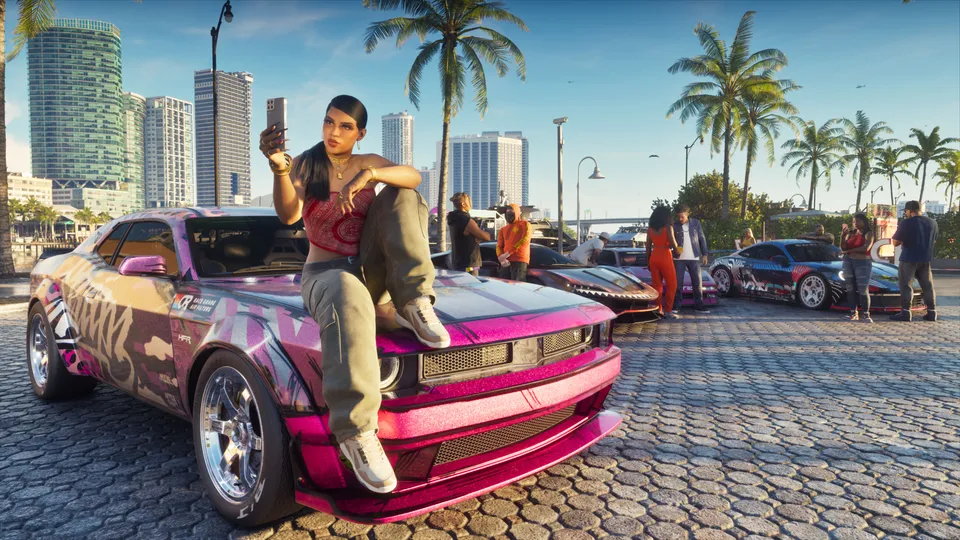
Grand Theft Auto 6 players on Xbox Series X|S are facing unexpected two-day bans from Xbox Live because default system settings are automatically uploading game captures featuring mature in-game content. Because GTA 6 is rated M for Mature and features heavy violence, drug use, nudity, and sexually suggestive scenes, standard gameplay footage can trigger automatic moderation filters when sent to Xbox servers. According to Pure Xbox and Game Rant, these bans hit players automatically when clips of routine gameplay—such as visiting Leonida beaches, experiencing story missions, or exploring Vice City—are scanned by Microsoft’s moderation systems. If you want to keep playing online without interruption, you need to change a key console setting right away.
Why Xbox Players Are Getting Banned
The issue stems from how the Xbox ecosystem handles media sharing out of the box. By default, the console automatically uploads your game clips and screenshots to Xbox Live servers. Once stored on Microsoft servers, automated moderation tools—and occasionally human reviewers—scan the content against Xbox family and online safety guidelines. Because Grand Theft Auto 6 is packed with adult themes, mature language, nudity, and intense violence, standard automated captures can easily flag a violation. According to reports, players have received temporary bans lasting at least two days simply for being on one of the many beaches in GTA 6 or recording innocent moments during open-world exploration.
High-Risk Areas and Activities in Leonida
While almost any location in the game poses some degree of risk due to the dense open-world environment, certain activities are much more likely to trigger automated flags if recorded and uploaded. Players should be especially mindful of captures generated during:
- Visiting strip clubs in GTA 6
- Private moments and intimate scenes between Jason and Lucia
- Intense story missions featuring graphic violence or drug misuse
- Exploring public beaches where swimwear and mature character models are common
Because these automated flags result in a temporary ban from playing online games on Xbox Live, and players report these restrictions cannot easily be appealed, prevention is essential. You simply have to wait out the entire two days if your account gets flagged.
Step-by-Step Guide: How to Turn Off Automatic Captures on Xbox
To ensure your automated clips do not land you in trouble while experiencing everything the game has to offer, follow these quick steps to disable automatic uploads on your Xbox Series X|S console:
- Press the Xbox button on your controller to open the guide.
- Navigate to the Profile & system tab and select Settings.
- Go to Preferences and select Capture & share.
- Locate the Auto-upload setting.
- Change the setting from automatic uploading to manual uploading or turn off captures to cloud storage entirely.
By taking these simple precautions, you retain full control over what is shared and stored on Microsoft servers, keeping your account safe while you explore the map.
What We Know and What We Don’t
| Claim | Status |
|---|---|
| Xbox players are getting 2-day bans for GTA 6 captures | Confirmed |
| Auto-upload settings are enabled by default on Xbox | Confirmed |
| Moderation scans are handled by a mix of AI and human review | Reported |
| Bans can be successfully appealed through support | Unconfirmed |
What This Means for Players
It is completely natural to want to record and share the wild, chaotic moments you encounter across Leonida. However, until Microsoft adjusts its automated filters or handles adult-rated blockbuster games differently, the responsibility falls entirely on the player. Turning off your auto-upload settings takes less than a minute and completely eliminates the risk of a frustrating two-day suspension from Xbox Live. Double-check your console settings before jumping back into the game so you can enjoy your time in Vice City without any unexpected interruptions.
Sources
- PressGTA 6 Xbox Players Risk Getting Banned If They Don't Make Important Settings ChangeGame Rant, 20 November 2026
- PressGTA 6 Players Warned To Turn Off Auto-Uploads Or Risk Getting Banned On XboxPure Xbox, 20 November 2026
Spotted an error? Report a correction. Read our verification policy.
Watch: real GTA 6 gameplay
GTA 6 - 15 BEST Gameplay Settings It Doesn't Tell You To Change
GamingBolt
GTA 6 - Best Settings Guide 24 Things to Change Now!
NIXNE
Settings You NEED To Change In GTA 6! (ALL PLATFORMS!)
MrRoflWaffles
Related reading
 © Rockstar Games
GTA 6 HDR Calibration Fix: How to Fix the Broken Display Settings
Fix GTA 6's broken HDR calibration tool on PS5 and Xbox Series X|S with three recommended display settings from experts.
3 min read
© Rockstar GamesGTA 6 download or install not working? Fixes for PS5 and Xbox
Common console-side fixes for stuck pre-loads, storage errors and code redemption problems.
1 min read